


Stylish Fonts & Fancy Keyboard
4.5167.00 Reviews
App Specs
- Version
- 2.5.2
- Updated On
- License
- Free
- Downloads
- 1,000,000+
- Developer
- Mobile Presets & Filters
- Categories
- Personalization
- Platform
- Android
Screenshots
 Analysis by AppCompare
I’d approach Stylish Fonts & Fancy Keyboard as a small creative tool rather than something that needs to become part of every message I send. Its appeal is immediate: it gives ordinary text a different look, which can be handy when I want a greeting, caption, or short note to feel more personal. The trade-off is that decorative writing is not equally useful everywhere, so I’d treat it as an occasional choice rather than a replacement for the standard keyboard.
What I would check before making it my daily keyboard
Because this app is built around changing how text is entered and displayed, I’d pause during setup and read each screen before enabling anything. A keyboard has a different role from a photo filter: it is present while I type, so I want to understand the choices the phone presents and select only what I’m comfortable using. That is a sensible habit with any keyboard app, not a claim about this app’s data practices or permissions.
I also wouldn’t assume that a stylish character will look identical on every device or in every app. Some decorative alphabets use special characters rather than ordinary font styling, and support can vary between services and devices. Before sending an important announcement, I’d test the exact text in the destination app and check that it remains readable. If a recipient sees unexpected symbols, plain text is the safer fallback.
A practical way to use the styles
For everyday use, I’d keep the effect selective. A short heading or a few words in a social caption can draw the eye without making the whole message hard to scan. In a group chat, for instance, a friend’s birthday greeting could have a playful style while the date, address, or other practical details stay in standard text. This keeps the personality without making people work to understand the useful part.
The same restraint helps with accessibility and tone. A decorative style can be tiring to read in a long paragraph, and an ornate message may feel too casual for work or a serious conversation. I’d use normal text for instructions, forms, passwords, account details, and anything that needs to be copied accurately. Stylish lettering is best for expression; it is not a substitute for clear writing.
Where it fits among other options
Compared with changing a phone’s system font, a keyboard-focused app is more convenient when I want to style only selected messages rather than alter the appearance of the whole device. Compared with making text in a separate design or image editor, typing directly can be quicker for a short caption. The compromise is control: a dedicated design tool is usually the better place to fine-tune a graphic, while plain text is more dependable when compatibility matters.
I’d also consider the recipient and the platform before choosing a style. A caption meant to stand out may benefit from a little visual distinction, but a customer message, school note, or work email usually benefits more from predictable formatting. If the app’s keyboard feels awkward in a particular conversation, switching back to the regular keyboard is a perfectly reasonable choice; personalization should not make basic typing slower or less comfortable.
Worth Reading Before You Choose

EA SPORTS FC Mobile 26 Is a Bigger Football Game, but It Takes Time

Flipboard Shows What News Apps Must Do Beyond the Feed

Switching to Android Auto Means Rethinking Your Driving Routine

Google Calendar Makes a Crowded Week Easier to Manage

Ludo King Makes the Most of the Minutes Between Plans

Baby Panda World Brings Quick Play to Modern Phones, but Its Game Library Feels Busy
There is a useful middle ground for people who enjoy experimenting but don’t want every sentence to look unusual: draft the message normally, then apply a style only to the opening or closing phrase. That makes it easier to judge the result and undo the decoration if it becomes difficult to read. I’d keep a plain version of any important text until I know the styled version displays properly.
Have you ever felt like your texts need a little more pizzazz? Well, I’ve got just the app for you! Say hello to Stylish Fonts & Fancy Keyboard, your new best friend in the world of snazzy texting. I decided to give it a whirl, and let me tell you, it’s been a game-changer in the way I communicate.
Getting Started with Stylish Fonts & Fancy Keyboard
First things first, downloading and setting up Stylish Fonts & Fancy Keyboard is a breeze. Available for both Android and iOS, all it takes is a quick visit to your app store and you’re ready to roll. The installation was smooth, and the app guides you through the setup process with simple instructions. Before I knew it, I was ready to start jazzing up my texts.
Features That Stand Out
Once inside, the app greets you with a sleek interface that's intuitive and easy on the eyes. The main menu is neatly organized, making it simple to navigate through the different features. Now, let’s dive into the sections that caught my attention.
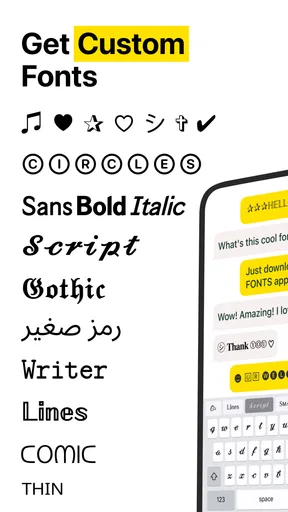
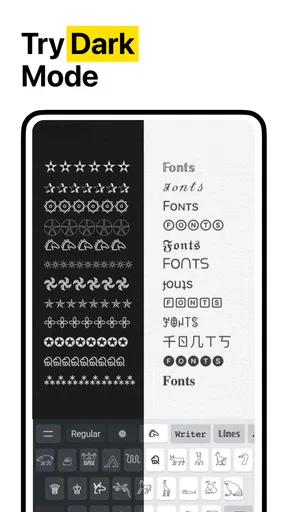
- Font Variety: The app boasts an impressive collection of fonts. Whether you're looking for something elegant, funky, or downright quirky, there’s a font for that. I had a blast trying out different styles with my friends and watching their reactions.
- Customization: Now, this is where the magic happens. Not only can you choose from a plethora of fonts, but you can also customize them to your liking. Changing colors, adjusting sizes, and adding effects are just a few of the tweaks you can make.
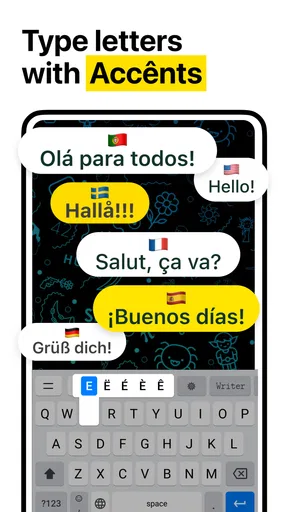
- Fancy Keyboard: The integrated keyboard is a feature I didn’t know I needed until I had it. It allows you to switch fonts on the fly as you type, enhancing your messaging experience without interrupting your flow.
My Personal Experience
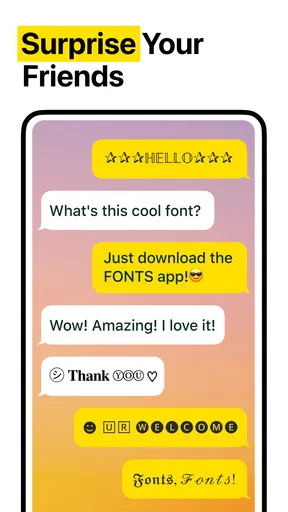
Let’s be real, who doesn’t want to stand out in a sea of plain texts? I found myself getting creative with my messages, whether it was sending birthday wishes, making announcements, or just having fun chats. The reactions from friends were priceless, often resulting in a "How did you do that?"
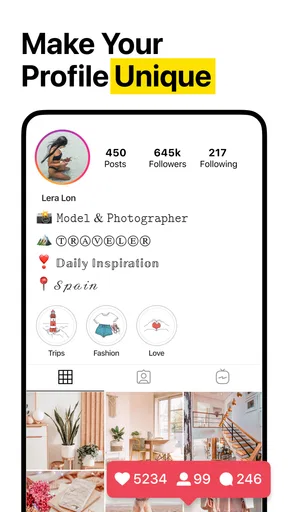
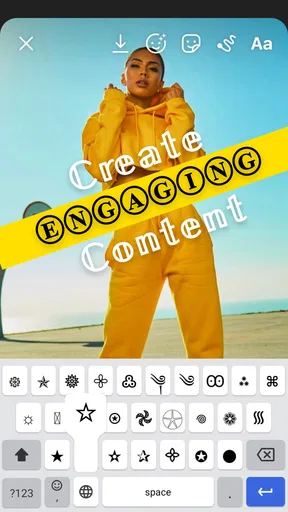
One thing I particularly enjoyed was using the app to spruce up my social media posts. It added a unique touch that made my content pop and garnered more engagement. It’s perfect for anyone looking to add a bit of flair to their digital communication.
Why You’ll Love It Too
If you’re like me and love personalizing your digital footprint, this app is right up your alley. It’s more than just a tool; it’s a way to express yourself and make your messages memorable. The app is continually updated with new fonts and features, so there’s always something fresh to explore.
Plus, it’s not just about fun and games—using unique fonts can help emphasize important points in a message or email, making your communication clearer and more effective.
Wrapping It Up
In a nutshell, Stylish Fonts & Fancy Keyboard is a must-have for anyone looking to spice up their texting game. It’s user-friendly, packed with features, and never fails to impress. Whether you’re chatting with friends, posting on social media, or sending out professional emails, this app brings the wow factor you didn’t know you needed.
So, what are you waiting for? Give it a shot, and watch your texts transform from drab to fab in an instant. Happy texting!
For a realistic test, I’d use it in a low-stakes setting first: write a short caption, preview it where it will appear, and ask a friend whether the lettering is easy to read on their device. That quick check tells me more than choosing a style by appearance alone. It also helps identify which designs work at small sizes, where thin strokes and elaborate curls can become less legible.
Who gets the most from it, and who may not
I can see this being most useful for people who regularly add personality to short messages, profile text, or social captions and enjoy trying different visual styles. It suits someone who is happy to make a quick choice while typing and willing to switch back to ordinary text when clarity matters. The Personalization category is a good fit: the point is changing the presentation of text, not managing conversations or replacing a full design workflow.
I’d be less inclined to recommend it to someone who mainly writes long emails, relies on consistent formatting, or wants a keyboard that stays visually and functionally minimal. If typing speed and predictable text entry are the priority, the phone’s standard keyboard is the simpler choice. And if the goal is a polished poster or branded graphic, a layout editor gives more precise control over spacing and composition than a font keyboard is meant to provide.
Small habits that prevent frustrating results
One useful trick is to decide the purpose of a message before choosing a style. For a playful greeting, novelty may be the point; for a reminder, the date and action should remain effortless to recognize. I’d also avoid styling every line just because the option is there. A single emphasized phrase creates contrast, while a whole block of ornate text can lose that contrast and become harder to scan.
Another trade-off is consistency. If I use different styles across a set of social posts, the result can feel lively, but it may also look scattered. I’d pick one or two styles for a recurring theme and keep the rest plain. That gives the text a recognizable feel without making each post compete for attention. For a one-off message, experimentation is less consequential; for a profile or repeated announcements, a restrained choice tends to age better.
It is also worth checking what happens when text is copied, edited, or searched. Decorative characters may not behave like regular letters in every context, so I would not use them for details that someone needs to copy precisely or find later. Keep names, addresses, links, and instructions in standard text. That is especially helpful in a busy group chat, where people may be reading quickly or using assistive tools.
Price, availability, and the decision to try it
Stylish Fonts & Fancy Keyboard is a free personalization app from Mobile Presets & Filters, with optional in-app purchases. Its average rating is 4.5 from around 49,000 ratings, and it has over one million installs. Those figures suggest it has found an audience, but I wouldn’t treat popularity as proof that every style will suit my phone or the apps I use. I’d judge it by whether the keyboard feels comfortable and the output stays readable in my own routine.
The app is rated for Everyone and was released in February 2022. Version 2.5.2 requires Android 10 or later on Android, so an older Android device may not meet that requirement. The listed in-app purchase range is from $2.99 to $19.99 per item. I’d start with the free experience and only consider paying if a particular option clearly adds value to the way I use it, rather than assuming every font or customization needs an upgrade.
What I would want to know before settling in
A common practical question is whether the styled text will work in a particular messaging or social app. I wouldn’t promise universal compatibility: the safest answer is to test a short sample in the destination before sending anything important. Another is whether the app should replace the default keyboard all the time. I’d say no unless its everyday typing feels just as comfortable; keeping the standard keyboard as an easy fallback makes experimentation low-risk.
People also often wonder whether decorative text is suitable for professional communication. My rule is to use it sparingly, if at all, in work messages. A small flourish in a casual announcement may be harmless, but ordinary text is clearer for requests, schedules, and anything that could be misunderstood. And if a font looks attractive in a preview but becomes hard to read at normal size, I’d skip it. The point is to make a message feel more like me, not to make the reader decode it.
A cautious verdict on trust and usefulness
My overall view is positive but measured. This app has a clear, narrow purpose, and that makes it easy to try without expecting it to solve unrelated problems. I’d pay attention to the keyboard setup choices, use decorative text selectively, and keep sensitive or accuracy-critical writing in the regular keyboard. Those are practical boundaries I’d apply to any third-party keyboard, rather than assumptions about this developer’s policies or the app’s handling of information.
If you enjoy personal touches in short text and don’t mind checking how a style appears after sending, I think it is worth exploring. If you want reliable typography across every device, detailed graphic control, or a keyboard with no extra setup, another option will suit you better. For me, the best reason to keep it is the occasional moment when a simple greeting or caption deserves a little character; the best reason to switch away is any moment when clarity needs to come first.
Pros
- Wide variety of font styles available.
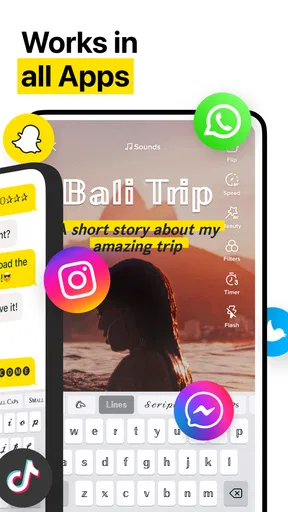
- Easy integration with social media apps.
- User-friendly interface for quick access.
- Customizable keyboard themes.
- Offline functionality for font use.
Cons
- Some fonts require in-app purchases.
- Occasional ads can be intrusive.
- Limited emoji selection compared to others.
- May not support all languages.
- Consumes moderate battery during use.
FAQs for Stylish Fonts & Fancy Keyboard
What features does Stylish Fonts & Fancy Keyboard offer?
Stylish Fonts & Fancy Keyboard provides a wide range of fonts and keyboard themes to personalize your typing experience. It includes over 100 unique font styles, colorful backgrounds, and emoji collections. The app supports multiple languages, allowing you to express yourself creatively across different messaging platforms.
Is Stylish Fonts & Fancy Keyboard compatible with all devices?
The app is designed to work on most Android and iOS devices. It requires Android version 5.0 or higher and iOS 10.0 or later. While it supports a wide range of devices, some features might be limited based on your device's specifications and operating system.
Are there any in-app purchases or subscriptions?
Stylish Fonts & Fancy Keyboard is free to download, but it offers in-app purchases. These purchases can unlock additional fonts, themes, and features. There might also be a subscription option to access exclusive content and remove ads, providing a more seamless experience.
How secure is Stylish Fonts & Fancy Keyboard regarding privacy?
The app takes user privacy seriously, offering a secure environment by not storing any personal data or keystrokes. However, it’s essential to review the app's privacy policy and permissions requested during installation to understand what data, if any, is accessed or shared.
Can I use Stylish Fonts & Fancy Keyboard in all apps?
Yes, Stylish Fonts & Fancy Keyboard is compatible with most apps that support custom keyboards, such as messaging, social media, and email platforms. However, some apps may not allow third-party keyboards due to specific security policies, so functionality might vary.


